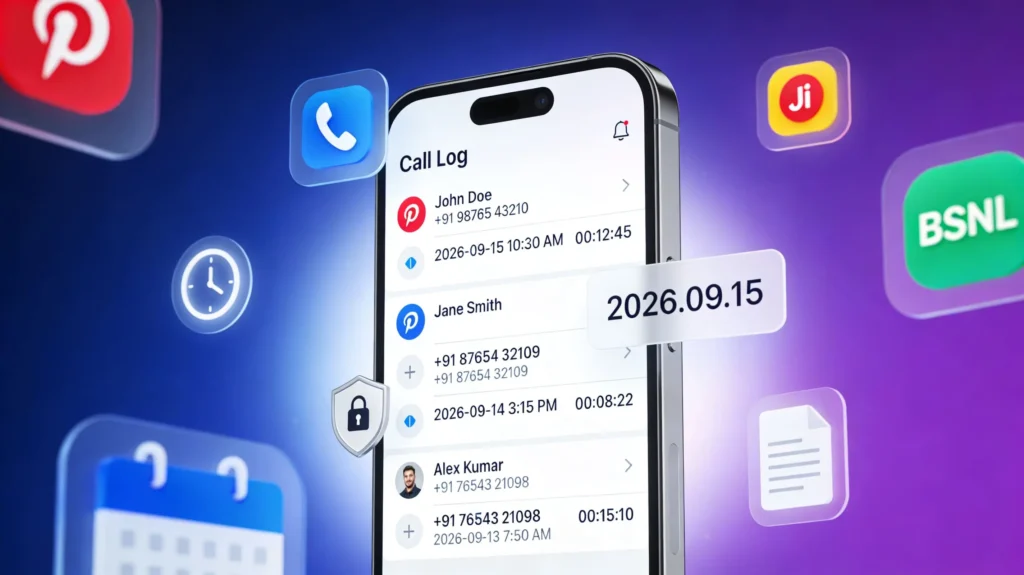
In 2026 How to Get Call History Any Number, call history and mobile call details have become one of the most sensitive types of personal data in India, directly linked to your identity and real-time movements. Log records from Airtel, Jio, Vi and BSNL show who you called, when you called, how long you spoke, and from which number the call was made, which is why Indian telecom and security rules now treat call details as “highly sensitive information”. At the same time, genuine users often urgently need their call records for completely valid reasons like court cases, billing disputes or recovering a lost number.
Users typically search “call history kaise nikale” or “mobile call details kaise nikale” when they want an official, trusted way to download their own call logs without getting into legal trouble. You might need your Airtel or Jio call history to prove harassment in a police complaint, resolve a wrong bill, track a missed business lead, or simply recover an important contact that you forgot to save. In many disputes, itemized call records (Call Detail Records or CDRs) become important evidence, but they must come directly from the telecom operator or through a court‑approved process to be accepted.
This guide explains only legal methods to get call history of a mobile number in India in 2026, focusing on Airtel, Jio, Vi and BSNL. You will learn step‑by‑step processes using official apps, websites, SMS and customer care, plus how courts, police and legal heirs can request call records in special cases. Any illegal “hack”, fake app or website claiming “2 minute me kisi bhi number ki call details” is not just a scam but a punishable cybercrime under Indian law.
Understanding call details in India
Call history from Indian telecom operators normally includes: incoming calls, outgoing calls, missed calls, the date and time of each call, the duration of each call, and the type of call (local, STD, ISD). These logs may also include limited charging information such as call charges and any applicable tariffs, especially when you download an itemized bill or detailed CDR. However, the actual conversation audio or content of your calls is not part of the standard call detail record and is not provided to customers.
Under updated Department of Telecom licence conditions, operators like Airtel, Jio, Vi and BSNL must archive commercial records and call detail records for at least two years for security reasons. This means your historical call logs can technically exist in operator systems for a minimum of two years, though self‑service apps often show a much shorter window. As a subscriber, you are legally allowed to access your own call data, but not someone else’s, and telecoms are required to keep these records secure and share them only with the registered user or authorised agencies. In practice, you can usually get detailed call history for recent months through apps and portals, and older records through special requests, customer care or legally through court and law‑enforcement channels.
Get Airtel call history (Airtel call details kaise nikale)
Method 1: Airtel Thanks App
Airtel recommends using the Airtel Thanks app to check usage, transaction history and to request detailed call records for prepaid and postpaid numbers.
Basic flow you can describe and screenshot in your blog:
- Download and install the Airtel Thanks app from Google Play Store or Apple App Store, then log in with the Airtel number whose call history you want to view.
- From the home screen, go to the Help or Services/Usage section; Airtel’s own guide suggests tapping “Help” then using the chat to access “Call history”.
- Type “call history” in the in‑app chat to get the official instructions and an SMS format to receive detailed call records by email (e‑prebill).
- Follow the SMS format given (for example “EPREBILL MONTH [email protected]” to 121) to get a month‑wise statement of chargeable transactions and calls.
You can mention that the app is ideal for users who want quick access to recent months and prefer email‑delivered PDFs for record‑keeping or tax proofs.
Method 2: Airtel website (airtel.in)
On the Airtel website, logged‑in users can view usage, billing history and download account statements, especially for postpaid numbers and broadband accounts.
Outline for your step‑by‑step section:
- Go to airtel.in and log in with OTP on the mobile number.
- Open the account dashboard and go to “Bills & Payments” or “Transaction/Payment history”.
- For postpaid, select the relevant bill cycle and download the detailed or itemized bill in PDF format.
- In many plans, the PDF shows itemized call records with number (may be partially masked), date, time, duration and charges per call.
Clarify that prepaid users usually get less detailed breakdowns on the website and may need to rely on the app’s e‑prebill SMS method for full call logs.
Method 3: Request itemized bill via SMS
Airtel supports an SMS‑based “e‑prebill” system to send call details for a specific month to your registered email ID at no extra charge.
Key points for the blog:
- Format: EPREBILL <MONTH> [email protected] and send to 121 from the Airtel number.
- You will receive a confirmation SMS, and the detailed bill (including call history) will be emailed, typically within a few minutes to a few hours.
- You need to repeat this SMS separately for each month if you want multiple months of call history, as Airtel does not bundle six months in one file.
Mention that this method is useful for users who don’t want to keep logging into the app but still need official call records month‑wise.
Method 4: Airtel customer care request
You can raise a request for detailed call history through Airtel customer care if self‑service options are not sufficient.
For your content:
- Call 121 from your Airtel number, follow the IVR to reach billing/helpdesk, then request detailed call records or an itemized bill for specific months.
- Customer care may verify your identity with standard questions and confirm your registered email ID before sending the report.
- Operators typically share recent months quickly and may take longer for older records, but they are still bound by the two‑year retention rules.
You can also mention that multiple follow‑ups may be needed in complex disputes, and users should keep reference numbers from the call.
Method 5: Visit Airtel store
For offline users or complex cases, visiting a physical Airtel store or authorised outlet is still a valid way to obtain printed or emailed itemized bills.
Points to include:
- Carry a government‑issued ID (Aadhaar, PAN, etc.) and, if possible, a copy of your last bill/SIM card.
- Ask for an itemized bill or detailed call records for the specific period; store staff may process a request in the system and arrange delivery via email or physical print.
- Some stores may charge a small fee for printed copies, especially if you ask for multiple months or older records.
This method is often recommended for people preparing documents for court or official complaints, where stamped physical copies help.
Method 6: Email request
If Airtel’s care email is available in your circle, you can send a formal request from your registered email ID describing the number and period for which you need call history.
For your templates/downloadable letters:
- Include mobile number, your full name as per KYC, address, and exact date range requested.
- Attach ID proof if asked and clearly mention that you are the registered user requesting your own call records.
- Response times can vary; operators usually revert in a few working days with either the records or a request for more details.
Get Jio call history (Jio call details kaise dekhe)
Method 1: MyJio app
Jio subscribers can check usage and billing details through the MyJio app, which also provides usage summaries that include voice, data and SMS.
Suggested steps for your article:
- Install and open MyJio, then log in with your Jio number via OTP.
- From the home screen, go to “Usage” or “My Statement”, where you can see your recent voice call usage and filters by dates.
- For postpaid, you can often generate a detailed bill that lists your chargeable calls; for prepaid, Jio may provide summaries rather than full itemized per‑call logs.
Advise users that for deeper legal or dispute purposes, they may still need official itemized statements from the website or customer care.
Method 2: Jio.com website
The Jio.com portal allows you to log in with your mobile number and view bills and usage records, especially for Jio postpaid and JioFiber.
Outline:
- Visit jio.com, log in with OTP, then open “My Account”.
- Navigate to “Usage” or “Bills”, select a billing cycle and download the bill in PDF.
- Detailed bills usually include sections for voice, data and SMS with timestamps and charges, which can serve as your call history document.
Clarify that online PDFs are considered valid digital records but court cases may still require certified copies.
Method 3: JioCare via chat/WhatsApp
JioCare often provides support on chat and WhatsApp where you can raise a request for call usage details or billing clarifications.
You can write:
- Start a chat with JioCare via the MyJio app or official WhatsApp support number listed on jio.com.
- Request “call history” or “detailed bill” for a specific period; support will verify your number with OTP or security questions.
- They may email the detailed bill or guide you to the exact section in app/website from where you can download it.
Method 4: Customer care (198/199)
Calling Jio customer care (198 for complaints, 199 for general queries in many circles) is another way to get help in retrieving call details.
Key points:
- Call from the Jio number whose records you need, go through IVR and select billing/usage options.
- Ask specifically for “itemized bill” or “detailed call usage for [month]”; they may send links or email the statement after verification.
- For older records, customer care might raise a service request that takes a few days to complete.
Method 5: Jio Store visit
You can include a short subsection on visiting a nearby Jio Store or Jio retailer with ID proof to request printed statements or help with call record retrieval.
- Carry your Aadhaar or any government ID and your active Jio SIM or a current bill.
- Store staff can access your account, generate bills and print or email them, subject to Jio policy and local availability.
- Some stores may limit how far back they can print on‑the‑spot and may instead initiate an email delivery request.
Get Vi (Vodafone‑Idea) call history
Method 1: Vi (MyVi) app
Vi users can access bills and usage through the official app, which typically shows recent call, data and SMS usage and allows bill downloads for postpaid lines.
You can explain:
- Download the Vi app, register/log in with OTP on your Vi number, then go to “Usage” or “View Bills & Usage”.
- For postpaid, open your latest bill and use the download option to get a PDF with itemized usage, including call logs.
- Prepaid users may only see recent call summaries and balances instead of full CDRs.
Method 2: Vi website (myvi.in)
The web portal at myvi.in provides similar access via browser.
- Log in with your Vi number and OTP, then go to “Bills & Recharges” or “Usage details”.
- Select the bill period you want and download the detailed statement.
- Use the downloaded PDF for billing disputes, audits or basic evidence of call patterns.
Method 3: SMS “BILL” to 199
Vi supports SMS commands where sending “BILL” to 199 from a postpaid connection can trigger a bill summary or link to your itemized bill.
- Compose SMS: BILL and send to 199 from your Vi postpaid number.
- You will receive a link or confirmation SMS showing your bill amount and sometimes a link to view/download the full bill.
Method 4: Vi customer care (199)
Calling Vi customer care from your Vi number lets you request more detailed assistance.
- Call 199, choose billing or complaints in the IVR, and request itemized call details for a given month or period.
- After standard verification, the executive can arrange an email of the detailed bill or explain any disputed calls.
Method 5: Vi store visit
For official printed records, you can ask readers to visit a Vi store with KYC proof.
- Carry ID proof and, ideally, an old bill to speed up lookup.
- Ask for itemized bills for the necessary months; physical copies may involve nominal charges.
Get BSNL call history
Method 1: BSNL SelfCare app
BSNL customers can use the BSNL SelfCare or official mobile app to check usage, especially for postpaid and broadband services.
- Download the BSNL SelfCare app, register/login with your BSNL number and customer ID if required.
- Navigate to “Usage” or “Call details” to view recent call history for your line.
- Some circles offer an export or email option directly in the app.
Method 2: BSNL portal (bsnl.in SelfCare)
BSNL’s SelfCare web portal allows more detailed access.
- Go to bsnl.in, choose the SelfCare link and log in or sign up with your account.
- Select your mobile or landline account and open the usage/call details section.
- Download call detail reports or itemized bills in PDF or Excel where available.
Method 3: BSNL customer care
BSNL’s customer care numbers (like 1503 for landline, 1800‑180‑1503 for mobile in many regions) accept requests for call records and bill clarifications.
- Call the relevant toll‑free number, verify your identity and request detailed call history for a specific period.
- They may email the records or ask you to collect them from a BSNL Customer Service Centre (CSC).
Method 4: BSNL CSC visit
For older records and certified copies, visiting a BSNL CSC is often necessary.
- Carry KYC documents and any case reference or complaint number if related to a dispute.
- Submit a written application requesting call details, including your number, period and reason (billing dispute, legal case, etc.).
- Some centres charge fees for printed itemized statements.
How far back can you get call history?
DoT licence amendments require telecom operators in India to archive call detail records, exchange records and IP logs for at least two years. This means that, in principle, Airtel, Jio, Vi and BSNL must keep your call logs in their backend systems for a minimum of two years for security and regulatory scrutiny. However, self‑service tools like apps and portals may expose only the last few months or billing cycles, with older data available only through special or legal requests.
Beyond the standard self‑service window, you may need to go through customer care, write formal emails, or use court orders to retrieve older call history. Operators are allowed to destroy archived data after the mandatory retention period unless there is an order from the Department of Telecom or a competent authority requiring them to keep it longer. For call records older than two years, recovery is usually difficult and often impossible unless they were already preserved as part of a legal or security proceeding.
Legal methods to get someone else’s call history
Indian rules clearly state that call details are highly sensitive and may only be given to the SIM owner or legally authorised entities. Accessing another person’s call history without consent is illegal, but there are limited situations where courts, police or legal heirs can obtain certified call detail records directly from telecom operators.
You can structure this section around these legal scenarios:
- Court orders (civil/criminal): In ongoing civil or criminal cases, a court may direct a telecom operator to produce call detail records for specific numbers and periods as evidence. The request is made through the court, not by private individuals directly, and operators must supply certified records to the court or investigating agency.
- Spouse in legal disputes: In divorce, domestic violence or maintenance cases, call history sometimes becomes relevant. Typically, the concerned party files an application via their advocate asking the court to order the operator to produce the call records of the spouse’s number. The individual cannot bypass this process and directly demand the partner’s call details from the operator.
- Deceased person: Legal heirs can request telecom records of a deceased person when needed for succession, fraud investigations or settling disputes. Operators usually ask for documents like death certificate, proof of relationship and legal heirship or succession certificate, and may still insist on a court or authority order before releasing detailed records.
- Minor children (parents/guardians): Parents or court‑appointed guardians generally have rights to information about minor children’s numbers, but operators may still require formal declarations or legal documentation, especially for detailed historical records.
- Police/investigating agencies: Law‑enforcement and authorised security agencies can obtain call detail records directly from telecoms under lawful interception and investigation powers. Users should know that such access is regulated and typically does not require informing the subscriber beforehand, especially in active investigations.
Illegal methods (warning – do not use)
In 2025‑26, fake promises like “2 minute me kisi bhi number ki call details” have exploded on social media, but they directly collide with tightened telecom security norms. Government rules now classify unauthorised access to call details as a cybercrime, and many scams use fake apps or phishing sites to steal money or personal data instead of giving real call history.
Your educational warning list can cover:
- Spy apps/stalkerware that secretly track calls or messages on someone else’s phone, which violate privacy and are prosecutable under IT and cybercrime laws.
- Hacking/phishing methods that promise “call history kaise nikale” if you share OTPs, passwords or Aadhaar details; these are scams designed to hijack your SIM or accounts.
- Fake websites and Telegram “agents” selling call details; many simply collect payments and disappear, and even if they did somehow obtain data, the act is illegal.
- Social engineering, where attackers pose as customer care or police to trick you into revealing OTPs; genuine operators never ask for such details to share your own call history.
Indian telecom and cyber rules treat accessing someone else’s call details without authorisation as a punishable offence, with possible jail and fines.
Understanding your Call Detail Report (CDR)
A Call Detail Report or itemized bill is essentially a tabular list of your calls with key fields that you need to understand to use it properly in disputes or court. Typical columns include date and time of each call, the called number or masked number, call type (local, STD, ISD), call direction (incoming/outgoing), duration and corresponding charges.
You can explain how to read:
- Date/Time: shows when the network registered the call, which can differ slightly from your phone’s clock.
- Called Number: may be partially masked for privacy in some consumer bills, with full numbers visible only in certified records.
- Duration: length of the call in seconds or minutes; many tariffs charge in 60‑second or 30‑second pulses.
- Charges: amount deducted or billed for each call, which you can use to verify overcharging or roaming issues.
A sample annotated CDR screenshot or table in your blog will help users match these fields against their own downloaded PDFs.
Call history for court cases
Courts and tribunals often rely on certified call detail records as supporting evidence, but they only accept records sourced directly from the operator through official channels. Screenshots from your phone or downloaded PDFs can help you prepare a case, but for strict evidentiary value, lawyers usually request that the court issue summons or directions to the telecom provider.
Once a court orders production of CDRs, the operator provides sealed or digitally signed records that mention the number, period and certification details. These records may be cross‑verified with telecom department or nodal officers if there is any dispute about authenticity. Courts still evaluate call history carefully, and it is generally considered corroborative evidence rather than standalone proof of content, since it shows that a call took place, not what was said.
Troubleshooting common issues
Users often face errors when trying to download call history, especially if they use multiple devices or forget login credentials. Common problems include app/website not loading due to network issues, OTP not arriving, accounts locked after too many attempts, or emails with call history landing in spam folders.
If recent calls are missing, it may be because the app view is limited to a particular billing cycle or there is a delay in updating usage logs. For incorrect billing or disputed charges, the best approach is to raise a written complaint with reference numbers, attach your downloaded bill or CDR, and escalate to higher authorities or the telecom ombudsman if necessary. Remind users never to forward their call records casually, because once shared, they can be misused in social engineering or harassment.
Privacy and security tips
Telecom rules now emphasise encryption of call logs, mandatory KYC and strict limits on who can access call details, but users still need to protect their own accounts. Always enable strong PINs or passwords on your operator apps (Airtel Thanks, MyJio, Vi, BSNL SelfCare) and avoid logging in from public or shared devices.
Warn readers not to share OTPs, account passwords or Aadhaar details with anyone claiming to send call history, including fake “CryptoBatter agents” or Telegram sellers. Users should also verify the domain of websites (airtel.in, jio.com, myvi.in, bsnl.in) before logging in and use two‑factor authentication where available to avoid SIM swap and account‑takeover frauds. For sensitive cases, advise keeping call history files in encrypted folders or secure cloud storage instead of open email or messaging apps.
Alternative ways to track your calls
Even without operator CDRs, phones themselves store call logs that you can export or back up for shorter histories. Android and iOS maintain recent call lists locally, which can be synced to Google account or iCloud and restored when you switch devices, though they do not replace official call records in court.
Users may also use call‑recording or call‑logging apps with consent, but they must respect privacy laws and platform policies. It is a good habit to periodically export your phone’s call logs or back up your device before porting numbers or changing SIMs, so that you don’t lose recent contact history when you need it most. These methods complement, but do not replace, operator‑issued CDRs that remain the primary legal source of call history.
FAQs:
You can model concise FAQ answers like:
- Can I get call history of the last 2 years?
Operators must retain call detail records for at least two years, but full access usually requires formal customer care or legal requests, not just apps. - Is call history free or paid?
Many online statements are free, but some operators charge for printed or multiple‑month itemized bills. - Can I get someone else’s call history?
No, accessing another person’s call history without legal authorisation is illegal and considered a cybercrime. - How to get call history after disconnecting a number?
If records are still within the retention period, the former subscriber or a court/police can sometimes request them, but operators may insist on legal orders. - Does call history show WhatsApp calls?
Standard CDRs show only network voice calls; VoIP app calls (WhatsApp, etc.) typically appear only as data usage, not as individual call entries. - Can deleted call logs be recovered from operator?
Deleting calls on your phone doesn’t affect operator records; CDRs remain on the network until the retention period ends. - How long does it take to receive call history?
App/portal downloads are instant, while email requests and legal orders can take days to weeks depending on complexity. - Is it legal to check my spouse’s call history?
Directly, no; you generally need a court to order the operator to produce records in matrimonial or domestic‑violence cases. - Can police get my call history without informing me?
Yes, authorised agencies can obtain CDRs from operators under lawful procedures, and they are not required to notify you in many investigations. - What if I lost my phone – can I still get call history?
Yes, as long as you can verify your identity as the subscriber, you can access your call records through operator channels.
Conclusion + CryptoBatter angle
For 2026, the safest way to get call history of any number (Airtel, Jio, Vi, BSNL) is to use the operator’s official app, website, SMS or customer‑care channels for your own SIM and court‑approved routes for any third‑party number. Illegal shortcuts, hacked tools or “2‑minute” tricks risk jail, fines and financial scams, while properly obtained CDRs have strong value in billing disputes and legal cases.